
Pentest Report Template

The pentest report is, without a doubt, the single most important document you’ll ever produce. It’s what turns your hours of technical deep-diving into tangible business intelligence for your client. This report is the final deliverable, the physical proof of your work that justifies their investment and cements your reputation.
Why Your Pentest Report Template Matters More Than You Think
Let’s be clear: a penetration test report is not just a list of vulnerabilities. It’s the lasting impression you leave with a client. It’s the critical bridge between your highly technical work and the strategic decisions the business needs to make. When you get the report right, using a professional template ensures that communication is clear, consistent, and genuinely impactful every single time.
On the flip side, poor reporting can completely tank the value of an otherwise brilliant technical engagement. I’ve seen it happen. A report lands on a client's desk filled with inconsistent formatting, jargon-heavy findings, and generic advice that helps no one. It just creates confusion, puts the brakes on remediation, and chips away at the client's trust. Your work gets filed away as a compliance checkbox instead of being seen as a vital security partnership.
Building Trust and Shaping Perceptions
A well-structured pentest report template is your first and best tool for demonstrating professionalism. It immediately shows you've thought about the client’s business context, not just their servers and code. This builds a huge amount of confidence and shifts your position from a one-off contractor to a long-term, trusted security advisor.
Remember, your report has to speak to multiple audiences at once:
For the C-Suite: The executive summary is their window. It needs to give a concise overview of business risk, potential financial impact, and strategic recommendations, all in plain English.
For the Tech Teams: The detailed findings section is their playbook. It must offer clear, step-by-step instructions to replicate the vulnerability and precise guidance to fix it, empowering developers and engineers to act quickly.
A great report doesn’t just point out what's broken; it hands the client a clear, prioritised roadmap for fixing it. It turns anxiety-inducing findings into a catalyst for real improvement, fostering a much more collaborative and productive relationship.
Speeding Up Remediation and Easing Compliance
This commitment to clarity has a direct, measurable impact: it speeds up security improvements. The whole point of a penetration test isn't just to find flaws—it's to get them fixed. A report that's a nightmare to navigate creates friction and leaves critical vulnerabilities open for far too long.
This need for clear, actionable reporting is only getting more intense, particularly across the UK as cybersecurity investment grows. Look at the Banking, Financial Services, and Insurance (BFSI) sector, which accounts for 28.70% of the pentesting market because of its heavy compliance burden. Even more striking is healthcare, which is seeing the fastest growth with a 17.20% CAGR, largely driven by new regulations that demand annual penetration tests. This trend underscores just how critical it is for reports to be not just understandable, but also mapped directly to specific industry compliance standards. You can get more insights into the growing pentesting market and its sector-specific demands online.
What Goes Into a High-Impact Pentest Report?
Let's move from theory to practice. A truly effective penetration test report is built on a clear, logical structure. This isn't just about organising data; it's about crafting a narrative that guides every stakeholder—from the C-suite to the sysadmins—to the exact information they need, in a way they can instantly understand and act on. Think of your pentest report template less as a document and more as a powerful communication tool.
The way you structure your report is the foundation for everything that follows. Without a solid blueprint, critical findings get buried, priorities become confused, and the immense value of your technical work gets diluted. Each section has a specific job, taking the reader from a 30,000-foot view right down to the nitty-gritty technical details.
This flow is what turns a good report into a great one, directly supporting key business outcomes.
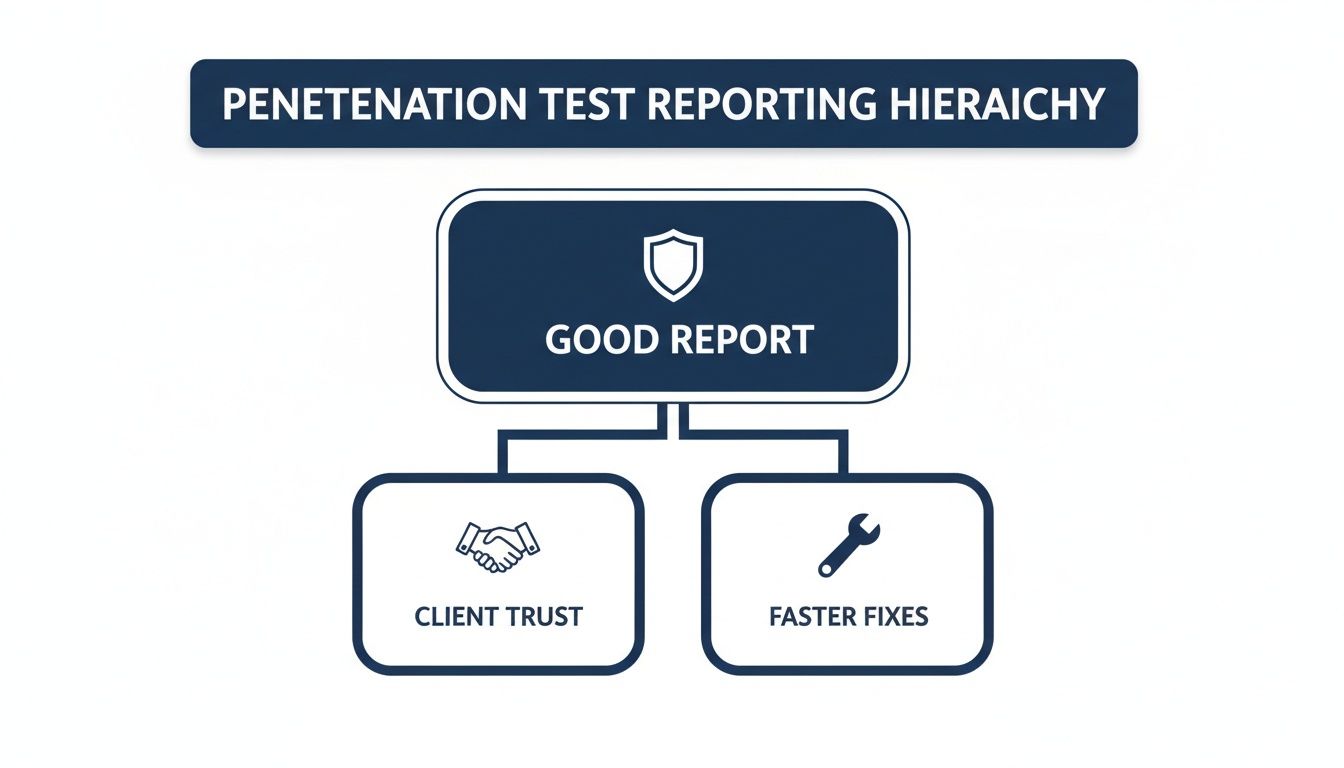
As you can see, a well-organised report is the engine that drives client trust and accelerates the entire remediation cycle.
Before we dive into each section, here’s a quick overview of the essential components that make up a professional pentest report.
Essential Pentest Report Sections at a Glance
Section | Primary Purpose | Target Audience | Key Information |
|---|---|---|---|
Front Matter | Sets professional tone and legal boundaries | All readers | Cover Page, Table of Contents, Disclaimers, Contact Details |
Executive Summary | Translates technical risk into business impact | C-Suite, Leadership, Non-Technical Staff | Overall security posture, key risks, strategic recommendations |
Scope & Methodology | Defines the "rules of engagement" | Technical & Management Teams | In-scope/out-of-scope assets, testing approach, timeline |
Technical Findings | Details each vulnerability for remediation | Developers, Engineers, IT Security | Vulnerability description, impact, replication steps, evidence |
This table provides a high-level map, ensuring you communicate the right information to the right people every time. Now let's break down what makes each of these sections work.
The Essential Front Matter
Before a client even gets to the first finding, the opening pages of your report set the professional tone. More importantly, they establish the legal and operational boundaries of the engagement. Getting this part right isn't just good practice—it's non-negotiable for managing expectations and protecting both your business and your client's.
These initial pages should always contain:
A Professional Cover Page: This is your first impression. It needs your branding, the client’s name, a clear report title (like "External Network Penetration Test Report"), and the delivery date.
A Clickable Table of Contents: This is a small detail that makes a huge difference, especially in long reports. It's an essential navigation tool that shows respect for the reader's time.
Contact Information and Disclaimers: Make it easy for them to know who did the work and how to get in touch. Critically, this is where you must include legal disclaimers, confidentiality statements, and any limitations of liability you agreed on in the contract.
Crafting the Executive Summary
The Executive Summary is, without a doubt, the most important section of the entire document. For senior leadership and non-technical stakeholders, this might be the only part they read. Its mission is to cut through the complexity and translate technical risks into tangible business impact.
Your summary needs to be concise, direct, and completely free of jargon. I always aim to answer three core questions:
What is the overall security posture of the environment we tested?
What are the most significant risks we found, and what could they mean for the business (e.g., financial loss, reputational harm, a major data breach)?
What are our top-level strategic recommendations to fix things?
Think of the Executive Summary as a strategic briefing, not a technical debrief. If a CEO can't grasp the core message and required actions in under five minutes, the summary has failed. It should provide a clear, high-level risk score and a summary of critical findings.
Defining Scope and Methodology
This section lays out the "rules of engagement." It’s your transparent record of what was tested, how it was tested, and—just as crucially—what was not tested. This clarity is your best defence against misunderstandings and ensures the report’s findings are seen in the proper context.
A solid Scope and Methodology section will detail:
Scope: A clear list of all in-scope targets, whether they're IP ranges, URLs, applications, or even physical locations.
Exclusions: Be explicit about what was out-of-scope. This prevents the dangerous assumption that the entire organisation was assessed.
Methodology: Briefly outline your approach. Did you follow a recognised framework like the OWASP Top 10 or the MITRE ATT&CK® framework? Citing these standards adds a layer of credibility and rigour to your work.
Timeline: State the exact start and end dates of the testing period. This context is vital, as a company's security posture is a snapshot in time, not a permanent state.
The Technical Findings Breakdown
This is the heart and soul of the report, where you lay out the detailed results for the technical audience. Each finding should be treated as a self-contained unit of information, giving an engineer or developer everything they need to understand, replicate, and, most importantly, remediate the vulnerability.
Structure every finding consistently. A good template will always include a descriptive title, a risk rating (e.g., Critical, High, Medium), a clear description of the vulnerability, and its potential impact. But the real value lies in the step-by-step replication instructions and actionable remediation guidance. This is where you hand the client's team a practical roadmap for fixing the problem, turning your findings into their work plan. Backing this up with evidence like screenshots and code snippets is essential for proof and clarity.
How to Write Findings That Drive Action
This is where the rubber meets the road. Your technical findings section is the bridge from high-level strategy to the hands-on, tactical work your client’s team needs to do. It’s the absolute core of the report, delivering the detailed, actionable intelligence that engineers and developers rely on to secure their systems.
Let’s be honest: a poorly written finding—one that’s vague, lacks proof, or offers wishy-washy advice—gets ignored. When that happens, you’ve not only wasted your time, but you’ve left the client's door wide open for attackers.
Crafting a finding that truly resonates is a bit of an art form. It has to be precise enough for a developer to follow along and replicate the issue, clear enough for a manager to grasp the business implications, and compelling enough to light a fire under the remediation team. Think of every finding in your pentest report template as a self-contained, undeniable case for why something needs to be fixed. Now.

To get this right, you need a methodical approach. It ensures every vulnerability you document is clear, consistent, and drives people to act. Let’s break down how to structure findings that don’t just sit on a shelf, but actually get resolved.
Start with a Descriptive and Impactful Title
The title is your first impression, so make it count. It needs to communicate the problem instantly. Steer clear of generic labels that don’t mean anything to anyone outside of the security bubble. Instead, aim for a title that’s both descriptive and gives a hint of the potential business fallout.
Just compare these two:
Weak Title: "XSS Vulnerability"
Strong Title: "Stored Cross-Site Scripting in User Profile Page Allows Account Takeover"
The second one is leagues better, right? It tells the reader the exact vulnerability type, where you found it, and what the worst-case scenario looks like. That context is gold for helping the client prioritise what to tackle first.
Clearly Articulate the Business Impact
Right after the title, you need to translate the technical jargon into real-world business consequences. This is the part that connects your technical discovery to the client's bottom line. Never assume they’ll make that leap on their own—spell it out for them in plain English.
To get your head in the right space, frame the impact by asking yourself:
Could this lead to a breach of sensitive customer data?
Can this vulnerability be used for financial fraud or theft?
Might it cause a service outage, leading to reputational harm and lost revenue?
Does it put them in breach of regulations like GDPR or PCI DSS?
A well-written impact statement turns an abstract flaw into a concrete business problem. Instead of just saying "the vulnerability leaks data," you could say "this vulnerability could expose the personal details of up to 10,000 customers, leading to significant regulatory fines and reputational damage." See the difference?
Provide Meticulous Replication Steps
For the technical team, this is the most important part of the entire finding. Your objective is to give them a simple, step-by-step recipe to reproduce the vulnerability without any guesswork. If they can't replicate it, they can't fix it. It’s that simple.
Number your steps and be painstakingly specific. Include the exact URLs, parameters, and payloads you used. If you relied on specific tools, mention them. This section should read like a precise set of instructions, leading them to the exact same outcome you found. When you’re dealing with messy data formats like JSON, for example, a little clean-up goes a long way. Using a tool like a JSON beautifier can make your proof-of-concept snippets much easier for developers to read and understand.
Embed Compelling Proof of Concept
Evidence is what makes your finding impossible to ignore. Screenshots, code snippets, and terminal outputs are your proof of concept (PoC), and they validate everything you’ve claimed. Don't just dump them in an appendix; embed them directly within the finding, right next to the replication steps where they’re most relevant.
Screenshots: Use arrows or boxes to highlight exactly what you want them to see. The classic
<script>alert('XSS')</script>alert box is a classic for a reason—it’s undeniable.Code Snippets: Show the exact payload or script you used. Pop it into a code block for clean formatting and easy copying.
Terminal Output: Include the commands you ran and the system’s response to demonstrate the exploit in action.
This kind of visual evidence removes all doubt and gives developers a crystal-clear picture of what a successful exploit looks like, which helps them debug and patch far more quickly.
Apply Consistent and Defensible Risk Ratings
A risk rating is your client’s guide to prioritisation. Whether you use DREAD, CVSS, or a simple Critical/High/Medium/Low scale, the key is consistency. Your pentest report template must clearly define this system so that a "High" rating on page 5 means the exact same thing as a "High" on page 50.
The UK security testing market is set to explode, growing from USD 9.47 billion to USD 20.82 billion by 2031. This isn't surprising when you consider UK organisations faced 7.78 million cyberattacks in a single year. With cybercrime costing the British economy an estimated £27 billion annually, the demand for clear, professional security guidance has never been greater. Consistent risk ratings are a non-negotiable part of that.
If you’re using a framework like CVSS, always include the full vector string (e.g., CVSS:3.1/AV:N/AC:L/PR:N/UI:R/S:C/C:L/I:L/A:N) along with the final score. This transparency is crucial—it shows exactly how you arrived at your conclusion and lets the client see the specific factors that make a vulnerability so risky.
Write Practical and Specific Remediation Guidance
Finally, and most importantly, don't just point out problems—offer solutions. Your remediation advice needs to be practical, specific, and actionable. Vague recommendations like "validate user input" are just lazy and unhelpful.
Instead, provide concrete guidance. If you can, tailor it to the client's known technology stack.
Ineffective Advice | Effective Advice |
|---|---|
"Patch the server." | "Upgrade the Apache web server from version 2.4.53 to 2.4.54 or later to patch CVE-2022-31813." |
"Sanitise input." | "Implement output encoding on the user profile field using a library like OWASP Java Encoder." |
"Use stronger passwords." | "Enforce a minimum password length of 12 characters, including uppercase, lowercase, numbers, and symbols." |
By providing specific library names, functions, or configuration changes, you empower developers to fix the issue quickly and correctly. This final step elevates your finding from a simple observation to a complete, valuable solution for your client.
Get Started With Downloadable Templates
Okay, let's move from theory to practice. Nobody wants to start a report from a blank page, so a good template is your best friend for speeding things up. To get you going, we've put together some free, downloadable pentest report templates based on the exact high-impact structure we’ve been talking about.
You can grab a professionally formatted version in the two most common formats we see in the field:
Microsoft Word (DOCX): This is the go-to for traditional corporate clients. It’s got all the rich formatting options you'd expect and makes it easy for them to add comments and collaborate using software they already know.
Markdown (MD): Perfect if you live in a text editor. Markdown is brilliant for version control with Git and can be quickly converted to HTML or a PDF using tools like Pandoc.
These aren't just empty documents. We've pre-populated them with all the crucial sections, placeholder headings, and even some instructional text to guide you. The goal is to help you build a report that’s clear, actionable, and looks professional right out of the box.
Making the Template Your Own
A downloaded template is just a starting point. The real magic happens when you adapt it to fit your own style and your client’s specific needs. This is what turns a generic document into your signature deliverable.
First things first, let's talk branding. If you're a consultant or an MSSP, white-labelling is non-negotiable. Drop your company logo, colour palette, and contact details into the header and footer. A sharp, branded cover page makes a great first impression before the client even reads a word.
Next, focus on efficiency. Start building a library of reusable content for your most common findings. Think about how many times you've written up "Missing HTTP Security Headers" or "Outdated Software Version." Having a solid, pre-written description and detailed remediation advice for these usual suspects will save you an incredible amount of time. You just copy, paste, and adjust the specifics for the current job.
Don't forget to tailor the tone. A report for a bank will demand formal language and a sharp focus on compliance. A fast-moving tech startup, on the other hand, might appreciate a more direct, get-to-the-point style. Adjusting your language shows you actually understand their world.
Finally, you can take this a step further and automate the whole thing. While a good template is a massive improvement, there are platforms designed to cut out the manual work entirely. To see how you can produce professional reports in minutes instead of hours, learn more about using a dedicated pentest report generator to really streamline your workflow.
Streamline Reporting and Reclaim Your Time
Let’s be honest. For most pentesters, the real drag isn't the technical work; it’s the report writing. We've all been there, battling Microsoft Word’s formatting quirks, tediously copying findings, and pasting evidence. It’s the final, gruelling leg of every engagement that can easily burn dozens of hours, pulling you away from the high-value work you were hired to do.
But what if you could sidestep that entire painful process? The single biggest efficiency gain you can make is moving beyond a static pentest report template in Word. The idea is to shift from a manual, document-centric grind to a dynamic, data-driven workflow where the report is an output, not the main event.
This is exactly why dedicated reporting platforms exist. They’re built from the ground up to solve this massive industry headache, turning the entire reporting cycle into a fast, consistent, and even collaborative process.

Beyond the Static Word Document
Imagine a system where your report builds itself in real-time as you work. Instead of treating each report as a blank slate, you create a centralised library of your most common findings. Each entry in this library becomes a complete, pre-written module containing:
A descriptive title and a clear summary.
An assessment of the business impact.
Detailed, step-by-step replication instructions.
Actionable remediation guidance written for developers.
Now, during an engagement, when you find a known vulnerability, you just pull that finding from your library into the current project. All you need to do is add the client-specific evidence—screenshots, code snippets, logs. This simple change means you never have to write up the same vulnerability details from scratch again, saving hours on every project and ensuring your advice is always consistent.
Building a Branded, Automated Template
Your first move is to set up a master template in a reporting platform like Vulnsy. This is a one-time effort that pays you back on every single future engagement. Here, you define your professional branding—logo, colour scheme, and company details—which will be automatically applied to every report you generate.
Next, you structure the report sections exactly how you want them: Executive Summary, Scope and Methodology, Technical Findings, and any other custom sections you need. This branded shell becomes the consistent, professional foundation for every deliverable, making sure every client receives a report with the same high-quality look and feel.
The real power comes from moving away from a "document" mindset to a "database" mindset. Your findings are no longer trapped in individual Word files; they're structured data you can reuse, update, and deploy instantly across multiple projects.
This change doesn't just make your life easier; it directly improves your client's experience.
From Manual Labour to One-Click Generation
Once your branded template is ready and your findings library starts to fill up, the reporting process is completely transformed. As you work through a test, you document vulnerabilities directly within the platform, attaching proof-of-concept evidence with a simple drag-and-drop. Everything stays organised in one place.
When the technical work is done, generating the final report is literally a one-click action. The platform takes all your project data—the scope, your findings, the embedded evidence—and merges it perfectly into your pre-designed template. The result is a pixel-perfect, professionally formatted DOCX or PDF report, ready for the client in minutes, not hours.
This level of automation delivers some serious advantages:
Speed: It slashes the time you spend on non-billable admin.
Consistency: It kills formatting errors and ensures every report meets your quality standards.
Scalability: It allows solo testers and small firms to take on more projects without getting buried in paperwork.
Enhancing Collaboration and Client Delivery
For teams, this approach smooths out the whole collaborative process. Multiple testers can add findings and evidence to the same project in real-time, ending the chaos of trying to merge multiple Word documents. Everything is version-controlled and managed centrally.
The delivery is also a huge upgrade. Instead of emailing sensitive report files back and forth, you can give clients access to a secure, branded online portal. From there, they can view their findings, download the report, and even track remediation progress. It's a much more secure and professional way to manage the client relationship from start to finish.
This shift is particularly relevant in a competitive market like the UK, which holds a significant position in Europe's penetration testing scene—a region that accounts for 25% of the global market. With the UK market projected to hit USD 0.14 billion by 2026, driven by major investments like the USD 500 million from the UK's National Cyber Security Centre, efficiency is everything. For consultants and small firms, pairing automated efficiency with expert analysis is the key to staying competitive. You can dig into more data on the European penetration testing market to see these regional trends for yourself.
Ultimately, automating your reporting with a purpose-built platform is about reclaiming your most valuable asset: time. It frees you up to focus on testing, finding vulnerabilities, and providing the expert advice that clients actually pay for. If you're looking to improve your own workflow, you might find our collection of free tools for security professionals useful.
Common Questions About Pentest Reporting
Even with a battle-tested pentest report template in hand, a few tricky questions always seem to pop up as you get ready to deliver the final document. Getting these final details right is what separates a good report from a great one – it’s about professionalism, managing liability, and making sure your findings are as defensible as they are insightful. Let's tackle some of the most common queries I hear from other testers.
What Legal Language Do I Really Need?
One of the first hurdles is always the legal boilerplate. What disclaimers are absolutely essential? While I'm not a lawyer and you should always get proper legal advice, every professional report I've ever written has to include a few non-negotiables: a confidentiality clause, a limitation of liability statement (which should mirror your contract), and a crystal-clear definition of the engagement’s scope and its boundaries. This isn't just fluff; it's a critical exercise in setting boundaries that protects both you and your client.
A classic mistake is assuming the client fully grasps the test's constraints. I always make a point to explicitly state that the report is a "snapshot in time" and only covers the agreed-upon scope. This stops them from thinking a clean report means they're impenetrable forever.
It’s a simple way to manage expectations and reinforce that security is a continuous process.
How Should I Handle Sensitive Data in Reports?
This is a big one. Your report is going to contain information that could be just as damaging as the vulnerabilities themselves if it fell into the wrong hands. The golden rule here is simple: redaction and responsible disclosure.
I always stick to these practices, no exceptions:
Anonymise User Data: Never, ever include real usernames, passwords, or any personally identifiable information (PII) in your screenshots or logs. Black them out meticulously.
Obfuscate Internal Details: Mask internal IP addresses, server names, or specific config details unless they are absolutely essential for remediation. You can refer to them generically, like "the internal database server," and provide the specifics through a secure channel later if they really need it.
Use Secure Delivery Methods: Please, don't just email the report as a standard attachment. Use a proper client portal or an encrypted file-sharing service to deliver the final document.
Handling data this carefully shows you're not just there to find flaws. It builds massive trust and proves you're a responsible partner in protecting their organisation from start to finish.
What Is the Best Way to Manage Template Versions?
As you gain more experience, your report templates will naturally evolve. If you don't have a system for managing these changes, chaos is just around the corner. I’ve seen it happen – team members using outdated versions, leading to wildly inconsistent reports that make the whole team look unprofessional.
A simple version control strategy is all you need. A straightforward naming convention like [TemplateName]_v[Major].[Minor]_[Date] works perfectly. For instance, External_Network_Pentest_v2.1_2024-10-26.
Here’s how I break it down:
Major versions (v1, v2) are for big structural changes, like when we decided to add a whole new section for MITRE ATT&CK mapping.
Minor versions (v2.1, v2.2) are for smaller tweaks, like updating the disclaimer text or adding a new common vulnerability to our findings library.
Make sure you store your master templates in one central place that everyone can access—whether that’s a company SharePoint, a private Git repository, or a dedicated reporting platform. This ensures every report that goes out the door is based on the latest, approved version, maintaining the quality your clients pay for.
Stop wasting hours on manual report formatting. Vulnsy automates the entire process with branded templates and a reusable findings library, so you can generate professional DOCX reports in minutes. Reclaim your time and deliver consistent, high-impact results on every engagement. Start your free trial.
Written by
Luke Turvey
Security professional at Vulnsy, focused on helping penetration testers deliver better reports with less effort.


