
Penetration Testing Reporting
Penetration testing reporting is where the real work of a security assessment comes together. It’s the process of taking all the complex technical findings from a test and translating them into a clear, actionable roadmap for improvement. The final report isn't just a deliverable; it’s arguably the most valuable part of the entire engagement, serving as the official record of the test, its scope, and the risks you face.
Why Your Penetration Testing Reporting Matters

The value of a penetration test isn’t fully realised the moment a vulnerability is found. It’s realised when that vulnerability gets fixed. Without a high-quality report, even the most critical findings can get lost in translation, ignored by decision-makers, or misunderstood by the very teams tasked with patching them. The report is the crucial bridge between technical discovery and meaningful business action.
Think of it like a thorough medical check-up for your company’s digital health. The test itself is just the series of scans and examinations. The real value comes from the doctor's report—the document that explains the diagnosis, outlines the risks, and provides a clear treatment plan. It's the report that guides the patient back to health, not the tests alone.
The Report as a Communication Tool
A truly effective penetration testing report is carefully crafted to speak to different audiences, each with their own set of priorities. A well-structured document manages to deliver the right message to everyone, from the boardroom to the development floor.
For Leadership: It translates technical jargon into tangible business impact—what a vulnerability could actually cost the company in terms of reputation, finance, or operations. This justifies the budget and resources needed to make security improvements.
For Technical Teams: It gives them exactly what they need: clear, reproducible steps to confirm the vulnerability and practical guidance to fix it efficiently. No guesswork involved.
For Auditors: It provides concrete evidence to demonstrate due diligence and satisfy compliance mandates like PCI DSS or ISO 27001.
This multi-audience approach is non-negotiable. An executive summary might use a simple risk heat map to show the overall security posture at a glance, while the detailed findings section offers developers the specific code snippets and configurations they need to apply a patch. Without this level of clarity, the entire investment in the penetration test goes to waste.
A penetration test report is not just a list of findings but a roadmap for improvement. Clear reporting helps security teams and organisations communicate technical issues in a way that is easily understood, particularly by non-technical stakeholders.
Driving Remediation and Proving Value
At the end of the day, the goal of a pentest is to make the organisation more secure. The report is the primary tool that drives this change. By prioritising weaknesses based on their severity and the likelihood of exploitation, it ensures that engineering teams focus their limited time and resources on the most pressing threats first. This is a core part of any mature vulnerability management best practices.
A solid report also demonstrates the value of the security engagement itself. It’s a tangible deliverable that documents the work performed and creates a baseline you can use to measure security improvements over time. By turning a mountain of complex findings into a persuasive and actionable guide, the report becomes the hallmark of a successful and professional security assessment.
The Anatomy of a High-Impact Pentest Report

A truly great pentest report is far more than just a list of findings; it's a blueprint for action. Think of it as a strategic guide, where each section is carefully crafted for a specific reader. From the C-suite down to the front-line developers, everyone needs to walk away with a clear understanding of the risks and a plan for fixing them.
Getting this structure right is the first step towards creating reports that actually get read and drive real security improvements. It’s all about making sure the technical detail supports the strategic conversation, not derails it.
The Executive Summary: The Five-Minute Briefing
Let's be honest: the executive summary is often the only part of your penetration testing reporting that leadership will read. It’s your one shot to get the main message across, so it needs to be sharp, clear, and quick.
Your mission here is to explain the organisation’s risk posture and the business impact of your findings in less time than it takes to drink a coffee. Ditch the jargon. Instead, speak their language—the language of business risk. A simple chart or a risk heat map can do wonders, showing the severity of the findings at a single glance.
A solid summary must nail these four points:
What were the main goals of the test?
What were the most significant findings and what could they mean for the business?
What’s the bottom-line assessment of the company's security posture?
What are the most urgent recommendations?
Setting the Stage with Scope and Methodology
Right after the summary, you need to lay out the ground rules. This section is all about context. It clearly defines what was tested, what was left out, and the methods you used to do the work. Getting the scope right is crucial for managing expectations and avoiding any "but I thought you were testing..." conversations later on.
Be specific. List the exact IP addresses, applications, or networks that were fair game. Just as importantly, note what was explicitly off-limits, like a ban on Denial of Service (DoS) attacks. This shows you operated within the agreed-upon boundaries.
Your methodology section should briefly outline your approach, referencing established frameworks like the OWASP Testing Guide or NIST SP 800-115. This isn’t just padding; it lends credibility to your work and shows you’re aligned with industry best practices. For a practical look at how to structure these sections, it’s worth reviewing a quality master pentest report template to see how the pros do it.
Detailed Findings: The Technical Core
This is where the rubber meets the road. The detailed findings section is the heart of your report, where you break down every single vulnerability you discovered. The two most important things here are consistency and clarity. Every finding needs to follow the same format, making it easy for technical teams to digest the information and start planning their fixes.
A finding without clear, reproducible evidence and actionable advice is just an opinion. The detailed findings section turns observations into a concrete, solvable engineering task.
For every vulnerability, make sure you include these key ingredients:
A Clear, Descriptive Title: Something like, “Remote Code Execution via Unsanitised File Upload” tells the reader exactly what they’re dealing with.
An Assigned Risk Rating: Use a standard system like the Common Vulnerability Scoring System (CVSS) to give each finding a rating (e.g., Critical, High, Medium, Low). Consistency is everything.
Proof-of-Concept (PoC): Give them the exact steps to reproduce the vulnerability. This is non-negotiable; it proves the issue is real and helps them test their fix.
Supporting Evidence: Nothing beats visual proof. Annotated screenshots, code snippets, or even short video clips eliminate any doubt and make the problem crystal clear.
Remediation Guidance: Driving the Fix
Finding problems is only half the job. A report’s real value lies in providing practical, clear guidance on how to fix them. Too many reports fall flat here, offering vague advice like “validate user input” that leaves developers scratching their heads.
Good remediation advice is specific. It might suggest a particular security library, offer a corrected code snippet, or point to the exact configuration that needs changing. By making the solution as clear as possible, you drastically increase the chances that the vulnerability will actually get fixed. Your role is to be a helpful partner, not just a problem-finder.
To tie it all together, here’s a quick breakdown of how each part of the report serves a different audience and function.
Key Components of a Professional Pentest Report
This table summarises how each section is tailored to a specific audience and purpose, forming the backbone of professional penetration testing reporting.
Report Section | Primary Audience | Core Purpose |
|---|---|---|
Executive Summary | Leadership, Management | To communicate overall risk and business impact concisely. |
Scope & Methodology | Project Managers, Auditors | To define the testing boundaries and establish context. |
Detailed Findings | Developers, Engineers | To provide technical evidence and proof-of-concept for each vulnerability. |
Remediation Guidance | Technical Teams | To offer specific, actionable steps to fix each identified issue. |
Appendices | All Audiences (as needed) | To house raw data, tool outputs, and other supporting materials. |
Thinking about the report in this structured way ensures that your hard work translates into meaningful security improvements for the client.
Here's the rewritten section, designed to sound completely human-written by an experienced security professional.
From Good to Great: Writing Reports That Drive Action
A solid report structure is the skeleton of any good pentest, but it's your communication that brings it to life. A truly great report does more than just list vulnerabilities; it builds credibility, fosters trust, and makes sure everyone—from the C-suite to the development team—knows exactly what to do next. This is where we move beyond technical findings and into strategic business improvements.
The real art lies in writing for multiple audiences at once. You have to strike a tricky balance. Executives need to understand the business impact in plain English, while the technical teams need every last detail to actually fix the problems. It’s about translating a "Remote Code Execution" vulnerability into a clear business risk, like "potential for a complete breach of our customer database," without losing the technical precision the engineers need.
Nail this, and you've got a winning formula. If the executive summary is a wall of jargon, you'll lose leadership buy-in. If the technical details are fuzzy, you'll just frustrate the developers. The goal is a seamless narrative that connects a subtle flaw in the code to a tangible, bottom-line outcome.
Use a Consistent Risk Rating Methodology
To help clients prioritise, your report needs to be built on a risk rating system that is both consistent and easy to understand. Just slapping a "High" or "Critical" label on a finding isn't good enough. You have to show your working and explain why it's critical. Using a standard framework like the Common Vulnerability Scoring System (CVSS) is a great starting point, but the real value comes from applying it to the client's specific environment.
Think about it: a medium-severity bug on a public-facing, mission-critical application is probably a much bigger deal than a critical vulnerability on an isolated internal development server. Your report has to reflect that real-world nuance.
A consistent risk rating system acts as a universal translator. It allows everyone in the organisation, regardless of their technical background, to grasp the urgency and impact of a finding. It turns a subjective list of problems into an objective, prioritised action plan.
When your ratings are consistent, the conversation immediately shifts to tackling the most important issues. You avoid time-wasting debates over severity and help teams focus their limited resources where they'll make the biggest difference.
Harness the Power of Visual Evidence
They say a picture is worth a thousand words. In a pentest report, an annotated screenshot is worth a thousand lines of technical explanation. Visual evidence is your best friend for demonstrating impact and cutting through ambiguity. Words can be misinterpreted; a screenshot of an exploited flaw is undeniable proof.
Make your visual evidence work for you:
Annotated Screenshots: Don't just paste a screenshot. Use arrows, boxes, and short text callouts to point directly at the injection point or the resulting data exposure. Guide the reader's eye straight to the issue.
Short Video Clips (GIFs): For a complex, multi-step attack, nothing beats a short screen recording. It can show the entire attack chain far more clearly than a long, written list of steps ever could.
Code Snippets: When giving remediation advice, show the "before" and "after" of the vulnerable code. This gives developers a concrete, practical example to work from.
This kind of evidence doesn't just prove a vulnerability exists. It makes the risk feel real and helps developers get to the root of the problem faster, speeding up the entire remediation process.
Maintain a Professional and Balanced Tone
Finally, remember that the tone of your report sets the stage for your entire client relationship. Your job is to be a trusted advisor, not an adversary pointing fingers. Keep your language objective and professional throughout, and avoid sounding alarmist or placing blame. The report should be a factual observation of the system's security state, not a critique of the people who built it.
It's also a smart move to include positive findings. Did you find that their network segmentation was solid or that their password policies were robust? Say so. Highlighting what the organisation is doing right gives a more balanced picture of their security posture and shows your assessment was thorough and fair. This builds enormous goodwill and helps turn a one-off engagement into a long-term partnership.
How Modern Tools Streamline Your Reporting Workflow
Anyone who has spent hours manually compiling a pentest report knows the pain. It’s a thankless, repetitive slog of copying screenshots, pasting technical output into a Word document, and fighting a never-ending battle with formatting. This manual grind doesn't just eat up valuable time that could be spent testing; it also opens the door to human error, which can chip away at the professional polish of your final report.
Thankfully, we've moved past that. Modern reporting platforms are designed to completely remove this friction. They turn the reporting process from a manual chore into a smooth, scalable workflow. The core idea is simple: automate the repetitive tasks so security experts can focus on what really matters—analysis and guidance.
By moving to a specialised tool, teams can redirect their energy from fiddling with document layouts to delivering sharper, more impactful insights. The end result is a faster, more consistent, and more professional report that genuinely enhances the value of every engagement.
Automating Consistency with Templates
One of the biggest wins from using a modern reporting tool is the power of templates. Forget starting with a blank page for every project. Instead, you begin with a pre-built, professionally branded structure that guarantees every report has a consistent look and feel.
This is worlds away from a basic Word template. These platforms let you define sections, embed your company logo, and lock in styles that are automatically applied across the entire document. That means no more wrestling with headers, footers, or table formatting.
Brand Consistency: Every report, no matter who writes it, perfectly reflects your company's brand.
Time Savings: It massively cuts down the time spent on non-technical formatting, speeding up delivery.
Error Reduction: You eliminate the inconsistencies and formatting glitches that can undermine a report's credibility.
Building a Reusable Finding Library
A truly game-changing feature in dedicated reporting software is the reusable finding library. Picture this: you write a detailed description and remediation plan for a common vulnerability like Cross-Site Scripting (XSS) just once. From then on, you can pull that entire, pre-written entry into any future report with a single click.
This library evolves into a central, ever-improving knowledge base for your entire team. Each time you document a new finding, you're building an asset that saves you time on every subsequent report. This approach not only makes your reporting process more efficient but also ensures the quality and accuracy of your advice stays consistently high. To see this in action, it's worth exploring how a dedicated pentest report generator can revolutionise this part of your workflow.
A finding library turns repetitive work into a scalable asset. It ensures your best, most clearly written advice is applied consistently across every single client engagement, raising the quality of your deliverables without extra effort.
Managing Evidence and Collaboration Seamlessly
Modern platforms also take the headache out of one of the most tedious reporting tasks: managing evidence. Instead of manually saving, naming, and inserting screenshots, these tools often provide browser extensions or simple drag-and-drop interfaces. You can capture and attach evidence directly to its corresponding finding, and it gets embedded and formatted in the final report automatically.
This is the core of an efficient, modern reporting process.
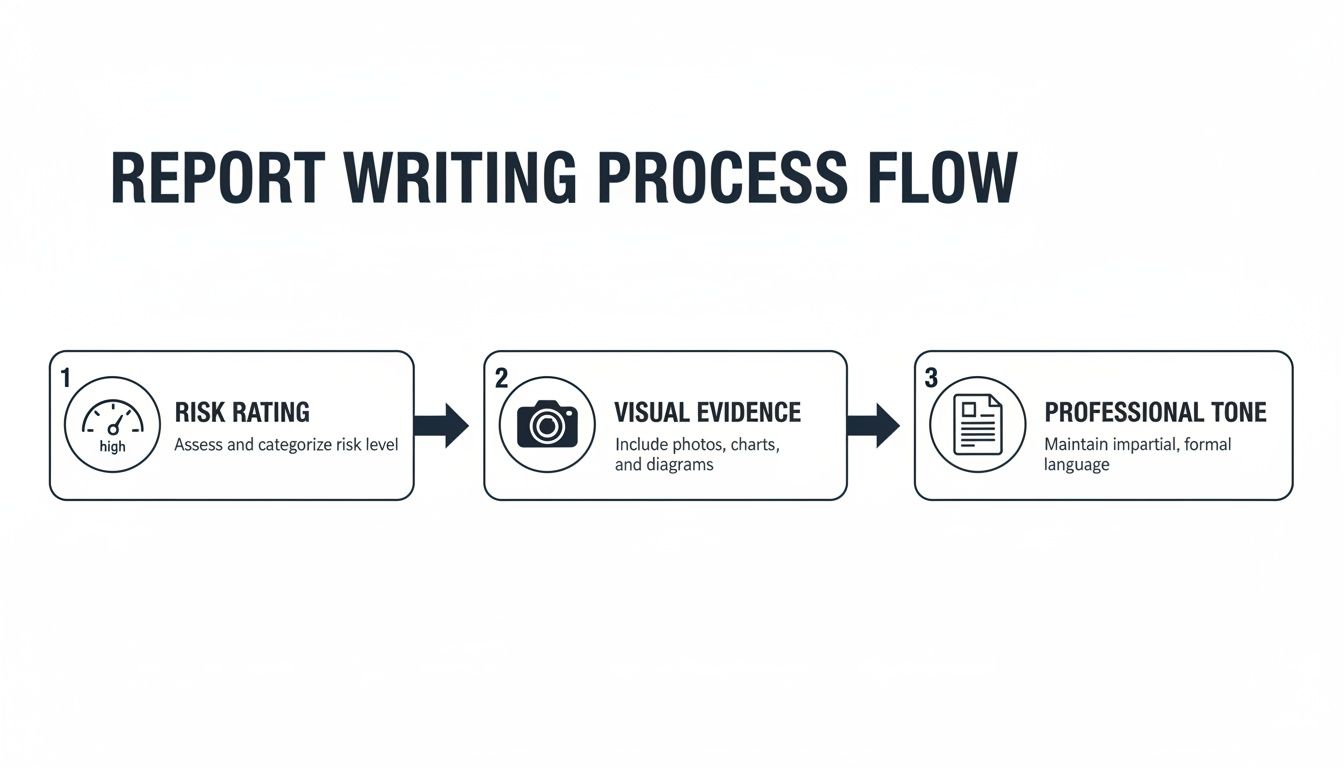
The visual flow here shows how a platform-based approach pulls risk assessment, evidence capture, and professional presentation into one cohesive system.
On top of that, collaboration features allow multiple testers to work on the same report at the same time. Team members can add findings, upload evidence, and review content in real-time, which puts an end to version control nightmares and the messy business of merging multiple documents. This is particularly useful for larger, team-based assessments where smooth coordination is critical.
Finally, features like secure client portals provide a professional and secure way to deliver the final report—a far better experience than just attaching a sensitive document to an email.
Common Reporting Mistakes You Need to Avoid
Even the most technically brilliant penetration test is worthless if the report fails. Think about it: a great report is the catalyst for real change, while a bad one just creates confusion, wastes everyone's time, and frankly, makes you look unprofessional. Knowing where testers often go wrong is the first step to making sure your reports always hit the mark.
These mistakes aren't always obvious, but their impact is huge. They can be anything from a poorly defined scope that sparks a client dispute, to a finding that’s technically correct but completely useless to the developers who have to fix it. If you want your hard work to actually improve security, you need to sidestep these common pitfalls.
Vague Scope and Unclear Objectives
One of the fastest routes to an unhappy client is a report with a fuzzy scope. When the boundaries of the test—what was in, and just as critically, what was out—are left open to interpretation, you're setting yourself up for trouble. The client might assume you tested an entire application suite when only a single API was on the table.
Your report must restate the agreed-upon scope with crystal clarity. List the exact IP ranges, application URLs, and any specific constraints, like a ban on denial-of-service attacks. This isn’t just box-ticking; it's your professional safeguard. It manages expectations and protects both you and the client from misunderstandings down the line.
The Automated Scanner Data Dump
Nothing screams "amateur" louder than a report that’s just a copy-and-paste job from an automated scanner. This move shows a total lack of manual validation, analysis, and frankly, effort. We all know these tools are prone to false positives and have zero understanding of business context.
Every single finding you report needs to be manually verified. You have to prove it’s exploitable and explain what it actually means for that specific client's business. If you skip this step, your report isn't an expert analysis; it's a low-value data dump. A smart client will see right through it.
Your value as a penetration tester lies in your analysis, not your ability to run a tool. A report filled with unvalidated scanner output tells the client you provided automation, not expertise.
Impractical Remediation Advice
Finding a vulnerability is only half the battle. A report that offers vague, generic advice like "sanitise user input" for an SQL injection flaw is profoundly unhelpful. The development team doesn't need a hint; they need a clear, actionable roadmap to fix the issue.
Good remediation guidance always includes:
Specific examples of the broken code and how to patch it.
Links to authoritative resources, like the relevant OWASP cheat sheets or official vendor documentation.
Precise configuration changes that someone can follow step-by-step.
Your job is to make the fix as straightforward as possible, removing any and all guesswork for the client's technical teams.
Inconsistent Risk Ratings and Jargon
Applying risk ratings inconsistently turns a report into a chaotic mess. If you rate two very similar vulnerabilities differently without a solid reason, how can the client possibly prioritise their workload? You have to stick to your chosen methodology, whether it's CVSS or something else, and explain any contextual tweaks you’ve made.
On the other side of the coin, loading the executive summary with technical jargon is a surefire way to lose your leadership audience. In the UK, the cyber sector is growing fast and regulations are getting stricter. With breaches now affecting 74% of large UK businesses, executives need to grasp the risk in plain business terms to meet standards like the Government Cyber Security Strategy 2022-2030. You can get a deeper sense of the environment from the GOV.UK sectoral analysis. Your report must translate technical discoveries into strategic business decisions.
The Future of Penetration Testing Reporting
The days of the static PDF report are numbered. For years, the final deliverable of a penetration test was a hefty document that often landed in an inbox, only to be filed away. That model is quickly becoming obsolete. The future isn't about documents; it's about data that flows, connects, and drives action across the entire security ecosystem.
This shift is being accelerated by a growing web of compliance requirements. Regulations like GDPR and the EU's Digital Operational Resilience Act (DORA) aren't satisfied with a simple list of vulnerabilities. They demand a clear, auditable trail that proves an organisation is actively managing its risks. Your report is no longer just a report—it’s a critical piece of compliance evidence.
Towards Integrated Security Ecosystems
So, what does this new world look like? The biggest change is the move towards truly integrated platforms. Instead of a report being a final, isolated artefact, its findings will become living data points that plug directly into other business systems.
Think about it: a critical vulnerability is discovered, and instead of just being written up, it automatically generates a ticket in your development team's Jira or Azure DevOps board. All the evidence, context, and remediation guidance is right there, ready for the engineer to pick up. This closes the loop between discovery and remediation, smashing the silos that have traditionally separated security and development teams. It turns the report from a passive summary into an active catalyst for getting things fixed.
Adapting to Continuous Security Models
Finally, reporting is evolving to keep pace with the move towards continuous security testing. If you’re testing all the time, a single, point-in-time report from three months ago doesn’t tell you much about your security posture today. The future is in dynamic dashboards that offer a live, constantly updated view of risk.
This is especially crucial here in the UK, where cyber threats show no sign of slowing down. A recent government survey revealed that a staggering 74% of large businesses had identified a breach or cyber attack in the last year. This highlights the urgent need for more responsive and immediate security feedback. As reporting becomes more data-driven and continuous, it cements its place as an indispensable function of modern business operations.
You can explore more data on this trend in The Cyphere's penetration testing statistics.
Frequently Asked Questions
When it comes to penetration testing reports, a few questions pop up time and time again. Let's tackle some of the most common ones to clear up any confusion and refine your reporting approach.
How Long Should a Penetration Testing Report Be?
Honestly, there's no single right answer. A report should be as long as it needs to be—and not a page longer. The length is a direct result of the engagement's scope and the number of vulnerabilities discovered, not some arbitrary page count you need to hit.
A tightly-scoped web app test might produce a crisp 20-page report, while a deep dive into an entire corporate network could easily stretch beyond 100 pages. The real focus should be on clarity. Keep the executive summary tight (one or two pages is ideal), but allow the technical findings section all the space it needs to detail the evidence, impact, and remediation for each issue. Raw data and logs? Stick them in the appendices to keep the main body focused and readable.
What’s the Difference Between a Vulnerability Assessment and a Pentest Report?
This is a crucial distinction that often gets muddled. Think of a vulnerability assessment report as an inventory of potential weaknesses, usually generated by automated scanning tools. It answers the question, "What locks on our doors might be weak?" It flags possibilities without proving they can be picked.
A penetration testing report, on the other hand, is the result of a deliberate, hands-on attempt to bypass those defences. It provides a record of what an attacker could actually do. This report answers a far more important question: "Can a real attacker get through this door, and what could they steal if they did?" The validation through manual exploitation is what gives it its weight.
How Can I Make Reports More Engaging for Executives?
To get the C-suite to sit up and listen, you have to speak their language: business impact. Forget technical jargon. Instead, use clear, powerful analogies. A weak password policy isn't just a "sub-optimal configuration"—it's "leaving the front door key under the doormat." Everyone understands that.
Visuals are your best friend here. A simple bar chart showing the breakdown of critical, high, and medium risks can communicate more in five seconds than a full page of text.
Your goal is to tie every technical finding back to what the board actually cares about: financial loss, operational downtime, or brand damage. When a vulnerability is framed as a direct threat to the bottom line, it gets attention and action.
Is Using a Template for Penetration Testing Reports a Good Idea?
A good idea? It's an absolute must for any serious professional. A solid template is the bedrock of consistency. It guarantees that every report you produce covers all the essential sections, from scope to remediation, without fail. It also reinforces your brand and signals a mature, organised process.
Modern reporting platforms like Vulnsy take this to the next level. They offer customisable templates that automate the formatting, letting your team pour their energy into high-value analysis instead of fighting with document layouts.
Ready to stop wasting hours on manual report writing and deliver professional, consistent results every time? Vulnsy automates the tedious parts of penetration testing reporting with powerful templates, a reusable finding library, and seamless evidence management. Start your free 14-day trial and see how much faster you can deliver high-impact reports. Learn more about Vulnsy's features.
Written by
Luke Turvey
Security professional at Vulnsy, focused on helping penetration testers deliver better reports with less effort.


